

🛠️ Preparation

Tools Required
- Ratchet with Sockets(8/10/13mm)
- Extensions & Wrenches
- Needle Nose Pliers(Crucial)
- Electrical Tape
- Wire Cutter/Stripper (Optional)
Box Contents
See Photo
- Running Boards (x2)
- Linkage Assemblies (x4)
- Hardware Kit
- Harness & ECU
- LED Lights
⚙️ Bracket & Motor Installation


1
Prepare Mounting Points
- ● Locate the Driver Side front and rear mounting points on the rocker panel under the doors.
- ● IMPORTANT Remove the factory pre-installed OE bolts from the mounting areas before attempting to mount the brackets.
2
Pre-Assemble Brackets
- ● Attach the mounting brackets to the linkage arms.
- ● Insert M8 Carriage Bolts into the square slots so that the threads are pointing downwards.
- ● Use M8 Flanged Nylon Lock Nuts to fasten the aluminum linkage arms to the brackets (4 fastening points on each).
- ● NOTE Tighten the Lock Nuts all the way until completely tight. (Brackets pictured are for illustration purposes only).
3
Mount Front Bracket
- ● Line up front mounting bracket slots to the threaded inserts on the rocker panel.
- ● Place the Driver Side/Left Front Bracket Assembly (A) onto the rocker panel.
- ● Fasten using Hex Bolts (K), Lock Washers (L), and Flat Washers (H).
- ● CRITICAL Do not tighten all the way yet. Adjustments may be needed later.
4
Mount Rear Bracket
- ● Locate rear mounting points. Line up the rear bracket slots to the threaded inserts.
- ● Place the Driver Side/Left Rear Bracket Assembly (B) onto the rocker panel.
- ● Fasten using Hex Bolts (K), Lock Washers (L), and Flat Washers (H). Do not tighten all the way yet.
- ● TIP Use the optional C-Shims (T) between the bracket and vehicle body to help better align the front and rear assemblies if needed.
×
![]()
⚡Power & ECU Setup (Engine Bay)


• Hybrid Models: The battery is under the Driver Side Rear Seat. Follow Step 7B.


5
Fuse Safety
- ● Locate your vehicle's battery and its positive/negative terminals.
- ● Open the fuse holder cap on the main harness (M) and remove the 25A fuse.
- ● WARNING Keeping the fuse connected may result in electrical sparks and risk of shorting when working with the battery.
6
Power & Connectors
- ● Connect the positive lead to the positive terminal, and negative lead to the negative terminal. Make sure both are secured.
- ● Connect the ECU (P) to the main harness.
- ● Connect the Long LED Y-Harness (N1) to the Driver-side branch, and the Short LED Y-Harness (N2) to the Passenger-side branch.
Determine Your Vehicle Type for Routing
• Non-Hybrid Models: The battery is in the engine bay. Follow Step 7A.• Hybrid Models: The battery is under the Driver Side Rear Seat. Follow Step 7B.
7A
Routing (Non-Hybrid)
- ● Route main harness around the battery, up along the rear of the engine compartment.
- ● Route the Driver-side branch down against the fire wall. Avoid contact with the steering column.
- ● Route the shorter Passenger-side leg down the wheel well. Avoid moving or hot engine components.
- ● Secure ECU using double-sided tapes near the battery away from direct heat.
7B
Routing (Hybrid Models)
- ● Lift the Driver Side Rear Seat to unveil the battery space. Connect power leads here.
- ● Route the main harness along the inside of the cabin. (May need to remove plastic paneling to hide wires).
- ● Route Driver-side branch to the outside of the cabin to the motor. Avoid steering column and hot exhaust pipes.
- ● Secure ECU inside the cabin away from direct heat.
8
Penetrate from Underside
- ● Under Vehicle: On the underside of the driver side, locate and remove the floor grommet in the floor panel behind the front wheel well.
- ● The grommet will be close to the front linkage arm.
- ● Poke a hole through the rubber grommet and thread the two signal wires through and up into the vehicle cabin.
9
Route Inside Cabin
- ● Inside Cabin: Remove the driver-side bottom door sill plate first.
- ● Unscrew the plastic nut (if equipped) and remove the driver-side front kick panel.
- ● Peel back the carpet to access the hole where the grommet was removed and pull the wires completely through into the cabin.
×
![]()
🔌Deep Dive: Signal Wiring Guide (BCM Connection)


 *Each two-wire column on the plug is a pair. HEV models may have additional pairs.


Make or Break: This step allows the running boards to "read" your door signals. Please follow carefully.
A
Locate CAN Junction
- ● Locate the white OEM CAN Junction connector under the steering wheel, behind the kick panel.
- ● Ensure vehicle is NOT powered on.
- ● Slide the connector out of the holding junction by pushing the locking tab in the center and pulling downwards for easier access to wires.
B
Connection Guide
*Each two-wire column on the plug is a pair. HEV models may have additional pairs.
| Factory CAN Wire | Main Harness |
|---|---|
| Blue (High) | White (CAN-H) |
| White (Low) | Yellow (CAN-L) |
⚠️ IMPORTANT NOTE:
On some vehicle trims, colors may differ (e.g., blue & white / red & white). White wires away from the locking tab are always "CAN Low".C
General Wire Taps Guide
- ● Clamp: Take the wider end of the tap and wrap the jaws onto the vehicle data line. Clamp jaws tightly.
- ● Insert: Insert the Power Step Main Harness signal wire into the narrow jaw.
- ● Secure: Clamp the jaw tightly. Needle-nose pliers are highly recommended to ensure the metal blade pierces the insulation of both wires to make a proper connection.
⚠️ CRITICAL NOTE:
Make sure the wire is seated properly in the jaws before clamping. The wire being tapped must be centered on the "teeth" to make a proper tap. If wires are not fully secured, use a screwdriver to pry open the buckle, wrap the broken part with electrical tape, and re-do the tapping process.
×
![]()
🔩 Final Assembly
11
External Connections
- ● Install LED Lights: Peel the adhesive backing and stick the LED lights to the rocker panel underside. Plug them into the harness.
- ● Connect Harnesses: Under the vehicle, connect the Main Harness to the LED Y-Harnesses on both sides.
- ● Plug in Motors: Connect the Y-Harness to the front motor plugs.
12
Mounting the Boards
-
●
Power Up:
Re-insert the 25A fuse.
Open the door to extend arms.
Unplug the motor to cut power and keep brackets down for installation. - ● Mount Boards: Slide (4) M6 Carriage Bolts into the channels. Align with bracket slots. Secure with Washers and Nuts. Adjust position and tighten all nuts.
- ● Reconnect: Plug the motor connector back in (or re-insert fuse). Close the door to retract the steps.
✅ Final System Check
Cycle Test: Open and close each door multiple times to ensure the steps deploy and retract smoothly without binding.
Check Hardware: Double-check that all mounting bolts are tightened to spec.
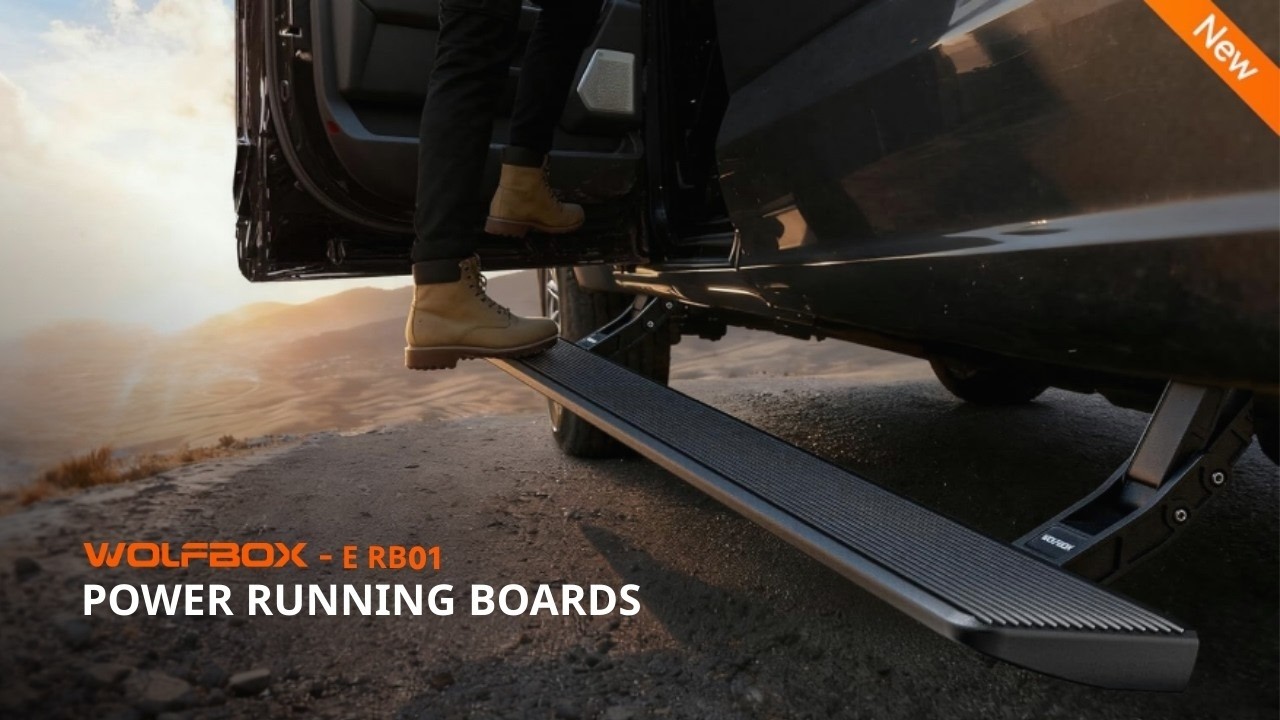
General Install (See Manual for Specifics)
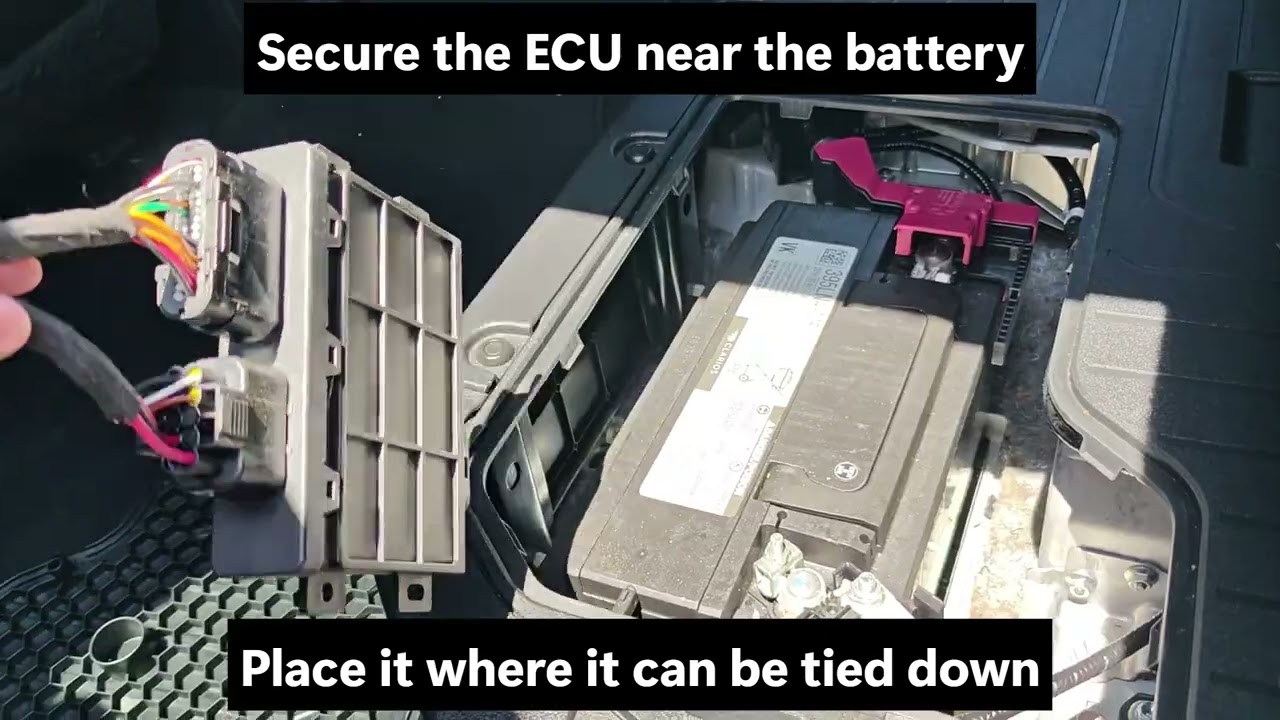
How to Locate the CAN Bus Port | 2022+ Toyota Tundra (Gas & Hybrid)
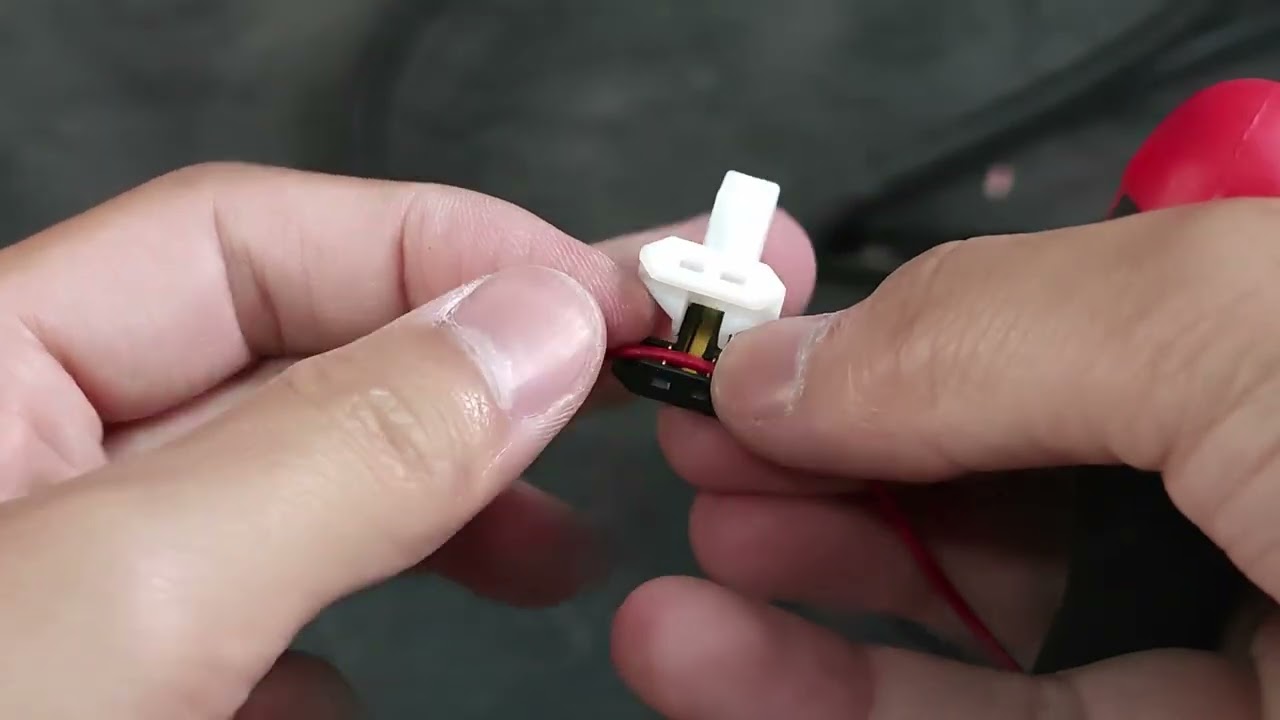
How to Use Shark Taps for CAN Bus Wiring | Power Running Board Installation
Toyota Tundra (22-26)
Download
It’s fully automated. The boards deploy when the door opens and retract when the door closes. We use advanced CAN bus technology to read door signals directly, eliminating the need for unreliable magnetic switches.
Absolutely. They are built for it. All components, including the IP67-rated motor and connectors, are weatherproof and sealed tight. They are tested from -40°F to 176°F to ensure flawless performance.
We built them strong! Each side has a proven load capacity of up to 660 lbs. Feel free to load up your gear or stand side-by-side with a buddy—they can take it.
Yes. The 6-inch wide platform features an aggressive textured surface designed to provide maximum grip, even with wet or muddy boots.
Yes, there is! Integrated LED lighting automatically illuminates the step surface when the board extends, dramatically improving visibility and safety for those late-night entries.
Safety first! Our boards include an auto-stop anti-pinch function that instantly halts movement if an obstruction is detected. Plus, there’s a 3-second safety delay before retraction just to give you extra peace of mind.
Nope! That’s the beauty of them. When retracted, the boards fit snugly against the vehicle body, ensuring you maintain your maximum ground clearance for optimal off-road capability.
No drilling required. This is a 100% bolt-on installation. Our brackets utilize the designated factory mounting points on your truck’s frame. Check out our installation video above for a detailed walkthrough specific to your vehicle.
